Version 3.4.4 Stable

Automated Texture
Workflows for Blender.

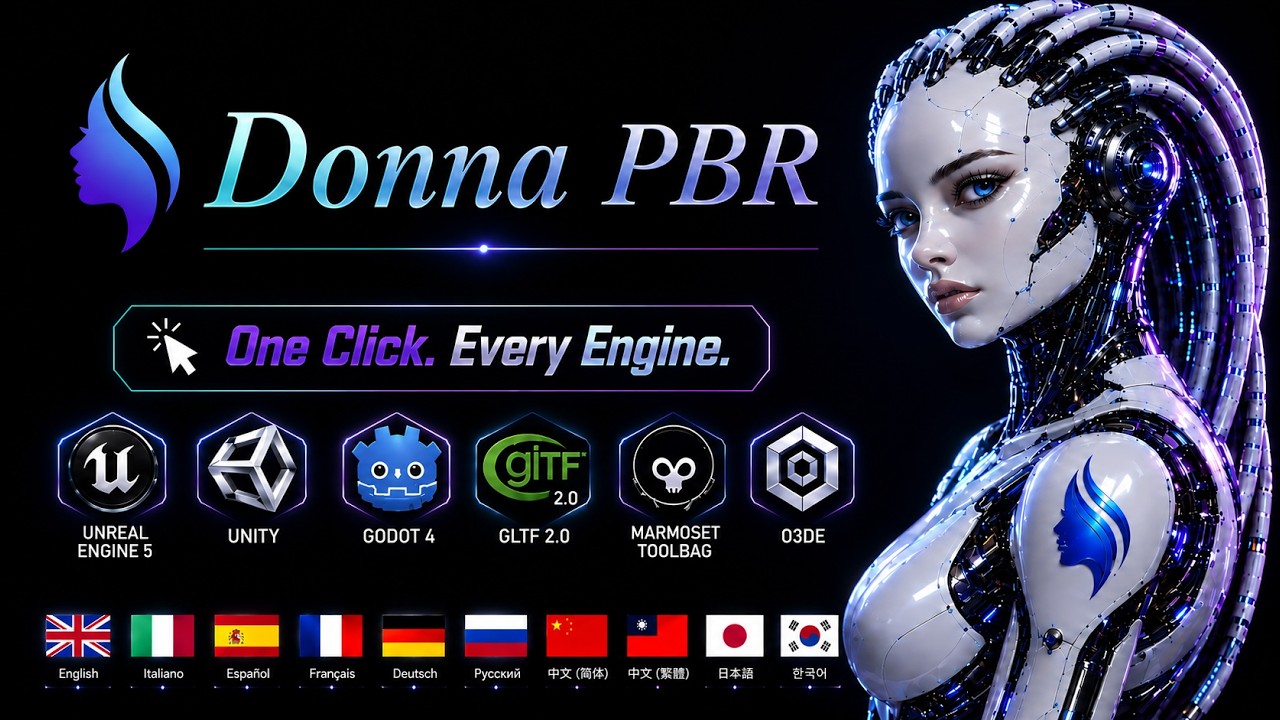
Donna PBR is a studio-grade texture pipeline engine designed to automate batch exporting, channel packing, and texture map detection workflows.

Built for Technical Artists, Environment Artists, and production pipelines requiring reliable engine-ready texture delivery.

  Batch Export Automation
  Engine-Ready Presets
  Production Workflow Validation
  Blender 4.4 – 5.3 Compatible

Built for Production Workflows

Stop wasting time with repetitive texture exports and manual channel management.

Donna PBR streamlines texture processing and connects Blender materials directly to modern rendering pipelines.

Batch Export

Export hundreds of objects or collections simultaneously while preserving naming conventions and production organization standards.

Smart Channel Packing

Combine Roughness, Metallic, Ambient Occlusion, Alpha, and custom channels into optimized texture maps using configurable packing profiles.

Check Scene — Dry-Run Validator

Scan every material in the scene and report missing texture assignments (Roughness, Metallic, AO, Albedo, Normal, and more) with OK / WARNING per material — without writing a single file.

Automation Workflows

Execute repeatable export procedures and integrate texture processing workflows into larger production pipelines.

Resolution Scaling

Perform non-destructive texture scaling operations during export without modifying source materials.

Engine Presets

Pre-configured export profiles optimized for modern game engines and rendering workflows.

// 10 UI Languages — Interface available in

🇬🇧 English 🇮🇹 Italiano 🇪🇸 Español 🇫🇷 Français 🇩🇪 Deutsch 🇨🇳 简体中文 🇹🇼 繁體中文 🇷🇺 Русский 🇯🇵 日本語 🇰🇷 한국어

From Blender to Engine-Ready in Minutes

01
SHADER GRAPHInput
02
AUTO-DETECTComplex Shader Setups
03
VALIDATIONZero Errors
04
BATCH PROCESS100+ At Once
05
ENGINE OUTPUTReady

Built for Production Artists

Solo Artists

Stop exporting one texture at a time. Donna PBR handles your whole material library in a single pass — so you can focus on creating.

Game Studios

Standardise texture output across your team. Same presets, same naming, same structure — every time, for every engine.

Pipeline & Technical Artists

Integrate Donna PBR into your existing automation setup. Headless export, JSON output, custom steps — built for technical pipelines.
See Donna PBR in Action

Donna PBR — Trailer

Donna PBR — Trailer · English

See the Pipeline in Action

Watch the official demonstration showcasing batch exports, channel packing, and production workflow optimization directly inside Blender.

Zero-Configuration Engine Exports

Export textures already configured for modern rendering pipelines without manual channel rearrangement.

UNREAL

Unreal Engine 5

Base Color (RGB) · Normal (RGB) · Packed ORM map — R = Ambient Occlusion, G = Roughness, B = Metallic.

UNITY_HDRP

Unity HDRP

Supports HDRP-compatible texture packing workflows, including Mask Maps and engine-specific channel configurations.

GODOT4

Godot 4

Export textures optimized for Godot 4 rendering workflows and glTF material pipelines.

GLTF

Khronos glTF 2.0

Metallic-Roughness compliant export pipeline suitable for modern real-time viewers and engines.

MARMOSET

Marmoset Toolbag

Separate map export with DirectX normals (Y− flip). Compatible with Marmoset Toolbag PBR material workflows.

RMA

O3DE / Open 3D Engine

RMA packing (R = Roughness, G = Metallic, A = AO), OpenGL normals — compatible with O3DE StandardPBR material type.

channel_packing_presets.json
Preset Combined R G B A
PBR Standard Separate R + M files
Unity (Metal/Smooth) MRa Metallic Roughness Smoothness
Unity HDRP (MaskMap) HDRP Metallic AO 0 Smoothness
Unreal Engine 5 ORM AO Roughness Metallic
Godot 4 ORM AO Roughness Metallic
RMA RMa Roughness Metallic AO
glTF 2.0 GMB 0 Roughness Metallic
Marmoset DirectX normals (Y− flip)
UDIM ¹ Feature Multi-tile naming across all presets (not a separate preset)
Custom Config Save / Export / Import JSON preset

Vectorized Pixel Pipeline

All channel operations — packing, inversion, colorspace conversion, resize — run through a NumPy-accelerated pipeline when NumPy is available. Pixel buffers are read via foreach_get directly into a C-contiguous float32 array (zero Python-level copies), packed with np.column_stack, and written back via foreach_set — the same path Blender itself uses internally. A pure-Python fallback is always available; the pipeline selects the fastest backend at startup with no user configuration.

Zero-copy
foreach_get/set write directly into C arrays — no intermediate Python list
Vectorized
np.column_stack + ravel() packs all channels in a single C-level call
Auto
NumPy detected at startup — pure-Python fallback when unavailable
4K–16K
Bilinear resize via NumPy — tested from 512 to 16K resolution

CI/CD Ready. Extensible API.
Headless CLI Execution.

⬡ CLI Headless ⬡ Python API ⬡ JSON Output ⬡ Plugin Hooks
headless_batch.sh
# Standard Unreal Engine 5 export
blender --background scene.blend \
        --python export_headless.py \
        -- --output /renders/pbr --preset UNREAL

# Dry-run: see exactly what would be written, nothing is saved
blender --background char.blend \
        --python export_headless.py \
        -- --output /tmp/test --preset UNITY_HDRP --dry-run

# Proxy CI build: clamp textures to 1024 px, skip emissive
blender --background prop.blend \
        --python export_headless.py \
        -- --output /tmp/proxy --preset GODOT4 \
           --max-size 1024 --no-emissive

# EXR output, asset-first folder layout, specific object
blender --background asset.blend \
        --python export_headless.py \
        -- --output /renders/pbr --preset GLTF \
           --format OPEN_EXR --asset-first --object SM_Crate

# Stream per-map progress as NDJSON (one JSON object per line)
blender --background scene.blend \
        --python export_headless.py \
        -- --output /renders/pbr --preset UNREAL --progress-json

# CLI text output (without --progress-json):
# [INFO] Preset loaded: Unreal Engine (ORM)
# [INFO] --max-size override: max_texture_size = 1024
# [WARN] AO not assigned — combined channel will be 1.0 (solid white)
# [INFO] emissive — skipped (--no-emissive)
# [INFO] Headless export completed successfully.
ndjson_stream.jsonl
# {"event":"start", "ts":"2026-06-28T10:00:00.000+00:00", "version":"3.4.4", "preset":"UNREAL", "output":"/renders/pbr"}
# {"event":"map_start", "ts":"2026-06-28T10:00:00.001+00:00", "map":"roughness", "tile":1, "total_tiles":1}
# {"event":"map_done", "ts":"2026-06-28T10:00:00.013+00:00", "map":"roughness", "tile":1, "total_tiles":1, "path":"…", "duration_ms":12.3, "status":"ok"}
# {"event":"map_start", "ts":"2026-06-28T10:00:00.014+00:00", "map":"metallic", "tile":1, "total_tiles":1}
# {"event":"map_done", "ts":"2026-06-28T10:00:00.023+00:00", "map":"metallic", "tile":1, "total_tiles":1, "path":"…", "duration_ms":9.1, "status":"ok"}
# {"event":"map_start", "ts":"2026-06-28T10:00:00.024+00:00", "map":"normal", "tile":1, "total_tiles":1}
# {"event":"map_done", "ts":"2026-06-28T10:00:00.033+00:00", "map":"normal", "tile":1, "total_tiles":1, "path":"…", "duration_ms":9.4, "status":"ok"}
# {"event":"map_start", "ts":"2026-06-28T10:00:00.034+00:00", "map":"combined", "tile":1, "total_tiles":1}
# {"event":"map_done", "ts":"2026-06-28T10:00:00.045+00:00", "map":"combined", "tile":1, "total_tiles":1, "path":"…", "duration_ms":11.2, "status":"ok"}
# {"event":"map_start", "ts":"2026-06-28T10:00:00.046+00:00", "map":"albedo", "tile":1, "total_tiles":1}
# {"event":"map_done", "ts":"2026-06-28T10:00:00.055+00:00", "map":"albedo", "tile":1, "total_tiles":1, "path":"…", "duration_ms":8.7, "status":"ok"}
# {"event":"map_start", "ts":"2026-06-28T10:00:00.056+00:00", "map":"height", "tile":1, "total_tiles":1}
# {"event":"map_done", "ts":"2026-06-28T10:00:00.064+00:00", "map":"height", "tile":1, "total_tiles":1, "path":"…", "duration_ms":8.1, "status":"ok"}
# {"event":"map_start", "ts":"2026-06-28T10:00:00.065+00:00", "map":"opacity", "tile":1, "total_tiles":1}
# {"event":"map_done", "ts":"2026-06-28T10:00:00.073+00:00", "map":"opacity", "tile":1, "total_tiles":1, "path":"…", "duration_ms":7.9, "status":"ok"}
# {"event":"map_start", "ts":"2026-06-28T10:00:00.083+00:00", "map":"specular", "tile":1, "total_tiles":1}
# {"event":"map_done", "ts":"2026-06-28T10:00:00.091+00:00", "map":"specular", "tile":1, "total_tiles":1, "path":"…", "duration_ms":7.6, "status":"ok"}
# {"event":"finish", "ts":"2026-06-28T10:00:00.092+00:00", "ok_maps":9, "error_maps":0, "warnings":0, "duration_s":0.921, "exit_code":0}
plugin_api.py
# Register a custom detector hook via DonnaPBRRegistry
from donna_pbr.core.registry import get_registry, DetectorHookSpec

def my_roughness_detect(mat):
    # Custom shader-graph traversal logic here
    return None

def register():
    reg = get_registry()
    reg.register_detector_hook(DetectorHookSpec(
        hook_id     = "studio.roughness_hook",
        map_type_id = "roughness",
        detect_fn   = my_roughness_detect,
        priority    = 10,    # lower = runs first; default 50; built-ins at 100
    ))

def unregister():
    get_registry().unregister_detector_hook(
        map_type_id = "roughness",
        hook_id     = "studio.roughness_hook",
    )
api_export.py
# Programmatic export via DonnaPBRAPI
from donna_pbr.core.api import DonnaPBRAPI, ExportRequest

api = DonnaPBRAPI()
req = ExportRequest(
    output_dir    = "/renders/pbr",
    preset        = "UNREAL",
    format        = "PNG",
    max_size      = 4096,
    skip_combined = False,
    restore_scene = True,  # addon props restored after run
)
result = api.export(context, req)

if result.success:
    for path in result.files_written:
        print("Written:", path)
else:
    print("Errors:", result.errors)

Results. In Every Engine.

Export once, see it correct in every target — no manual channel swapping, no color space guessing.

Donna PBR — Unreal Engine 5 export Unreal Engine 5
Donna PBR — Unity export Unity

Comprehensive Reference Material

Detailed documentation designed for artists, technical artists, and production workflows.

EN

User Manual — English

Complete reference for the full pipeline: setup, presets, channel packing, validation, and headless export.

Free Download
IT

Manuale Utente — Italiano

Guida completa al pipeline: configurazione, preset, channel packing, validazione ed export headless.

Download Gratuito
ZH

用户手册 — 中文

完整的管线参考手册:配置、预设、通道打包、验证与无界面导出。

免费下载

Frequently Asked Questions

Which Blender versions are supported?

Donna PBR v3.4.4 is fully compatible with Blender 4.4 through 5.3 and is actively maintained to follow each major Blender release.

Which render engines and game engines are supported?

Donna PBR ships with ready-made presets for Unreal Engine 5 (ORM channel packing), Unity Standard (MRa / Metallic Smoothness), Unity HDRP (Mask Map), Godot 4, glTF 2.0, Marmoset Toolbag, and O3DE (via the RMA preset). Custom engine profiles can be created for proprietary pipelines.

Can I create custom channel packing configurations?

Yes. The profile system lets you define exactly which source channel (R/G/B/A) maps to which target channel for any texture. Custom profiles are saved per-project and can be shared across a team.

Does Donna PBR support UDIM textures?

Yes. Full UDIM tile support is included — Donna PBR correctly handles multi-tile texture sets and exports each tile with the proper naming convention expected by the target engine.

Can I use it in a headless or CLI pipeline?

Yes. Donna PBR exposes a Python API (DonnaPBRAPI) that allows fully headless, script-driven exports — ideal for CI/CD pipelines, render farms, or automated studio toolsets.

Is this a one-time purchase or a subscription?

One-time purchase. You pay once and receive all patch updates within the purchased major version at no extra cost. There are no recurring fees. The purchase and licence agreement are managed by Superhive Market — refer to their terms of service for refund and licence policies.

Can I use Donna PBR in commercial projects?

Donna PBR is released under the GNU GPL v3 license, the same license used by Blender. The public release includes the complete addon source code and may be used in personal and commercial projects, modified, and redistributed under the terms of the GPL v3 license. Purchasing through Superhive Market supports continued development, priority support, and official updates.

How many machines can I install it on?

It depends on the licence tier you choose: Solo covers 1 seat, Pro covers 5 concurrent seats, and Team covers 10 concurrent seats. All tiers are available directly on Superhive Market — pick the one that fits your setup.

What happens after I purchase? How do I get the addon?

After checkout on Superhive Market you will receive a download link immediately in your Superhive account. Install the .zip directly from Blender → Edit > Preferences > Add-ons > Install. No internet connection is required to run the addon after installation.

Is technical support included?

Yes. All purchases include priority e-mail support from the developer at donna.addonblender@gmail.com. Bug reports are triaged within 48 hours and fixes are released as point updates at no extra cost.

── -->

Simple Transparent Pricing

LAUNCH PROMO

Price increase after deadline — lock in now

00Days
:
00Hours
:
00Mins
:
00Secs

Pro Licence · 5 Seats

PRO

$74.93 $99.90

Launch promo — save $24.97

  • Everything in Solo
  • 5 concurrent seats
  • Priority support
GET PRO

Team Licence · 10 Seats

TEAM

$134.93 $179.90

Launch promo — save $44.97

  • Everything in Pro
  • 10 concurrent seats
  • Priority support
GET TEAM

Ready to Optimize Your
Texture Pipeline?

Automate repetitive export workflows and streamline texture delivery across modern rendering pipelines.

Get Donna PBR Today